Navigate
Home Studio How it works
What's included Pricing FAQ
Image Studio · Now Live

Ultra-fast, ultra-cheap 4K AI image editing — in your browser.

Edit any image with a sentence, then upsample to 4K and re-shoot from any angle. Image Studio is built on custom Triton kernels and a runtime tuned for a single L4 GPU — the speed and savings come straight through to you. Batch image editing at scale, $0.002 a generation.

Qwen Image Edit 2511 Ada-tuned Triton kernels Runs on a single L4
L4
Served on Ada GPU
~13s
Per edit · 1120×736
Triton
Custom Ada-tuned kernels
Batch
Shared-context edits

Meet Image Studio — image editing, rebuilt for speed.

Qwen Image Edit 2511 running on a single L4 GPU, with MissingLink's custom Triton kernels and optimized runtime doing the heavy lifting. Same feature set as vanilla 2511 — just efficient enough to serve batch jobs on budget hardware. Three editing modes in one browser studio: instruction-led, batch, and camera control.
Qwen Image Edit 2511·Ada-tuned Triton kernels·Single L4 GPU
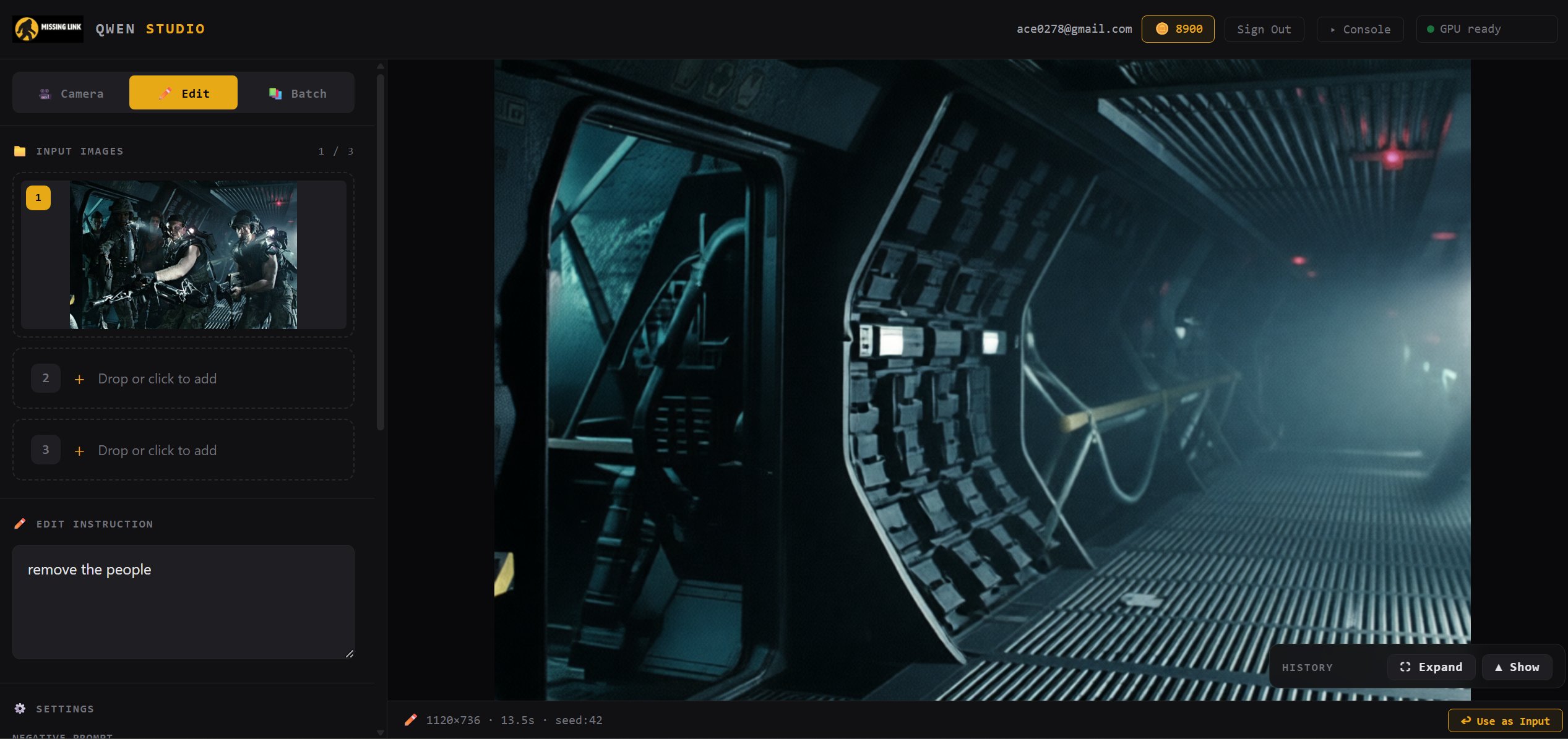
Image Studio edit mode — natural-language instruction 'remove the people' transforming a scene of soldiers into an empty corridor

Instruction-led editing

Drop in an image, type what you want changed, and Qwen Image Edit 2511 rewrites the scene. No masks, no brushes, no complicated UI — just natural language.

  • Plain-English prompts — "remove the people", "change the lighting"
  • Multi-image reference for style and context transfer
  • Negative prompts, seed control, and size settings exposed
  • ~13 seconds per edit at 1120×736 on our optimized runtime
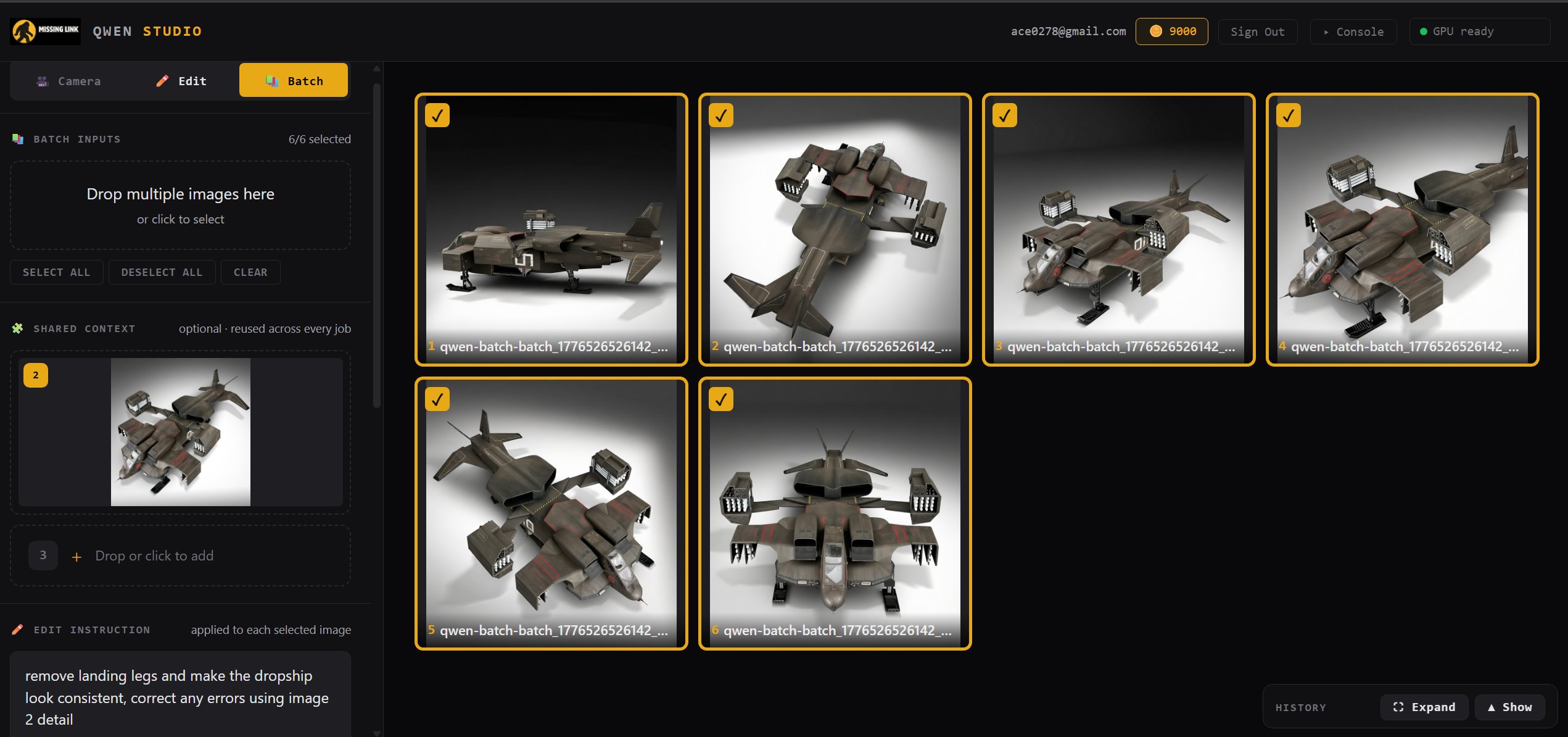
Image Studio batch mode — six dropship images selected with a shared context image and single edit instruction applied across all of them

Batch editing with shared context

Queue up dozens of images, pin a shared reference for style consistency, write one instruction, and run the whole job. The shared-context approach is what makes batch viable at this price — one reference, one prompt, a whole set of edits.

  • Drop multiple images, select-all / deselect-all controls
  • Shared context image reused across every job for consistency
  • One edit instruction applied to every selected image
  • Live queue with per-image progress and history
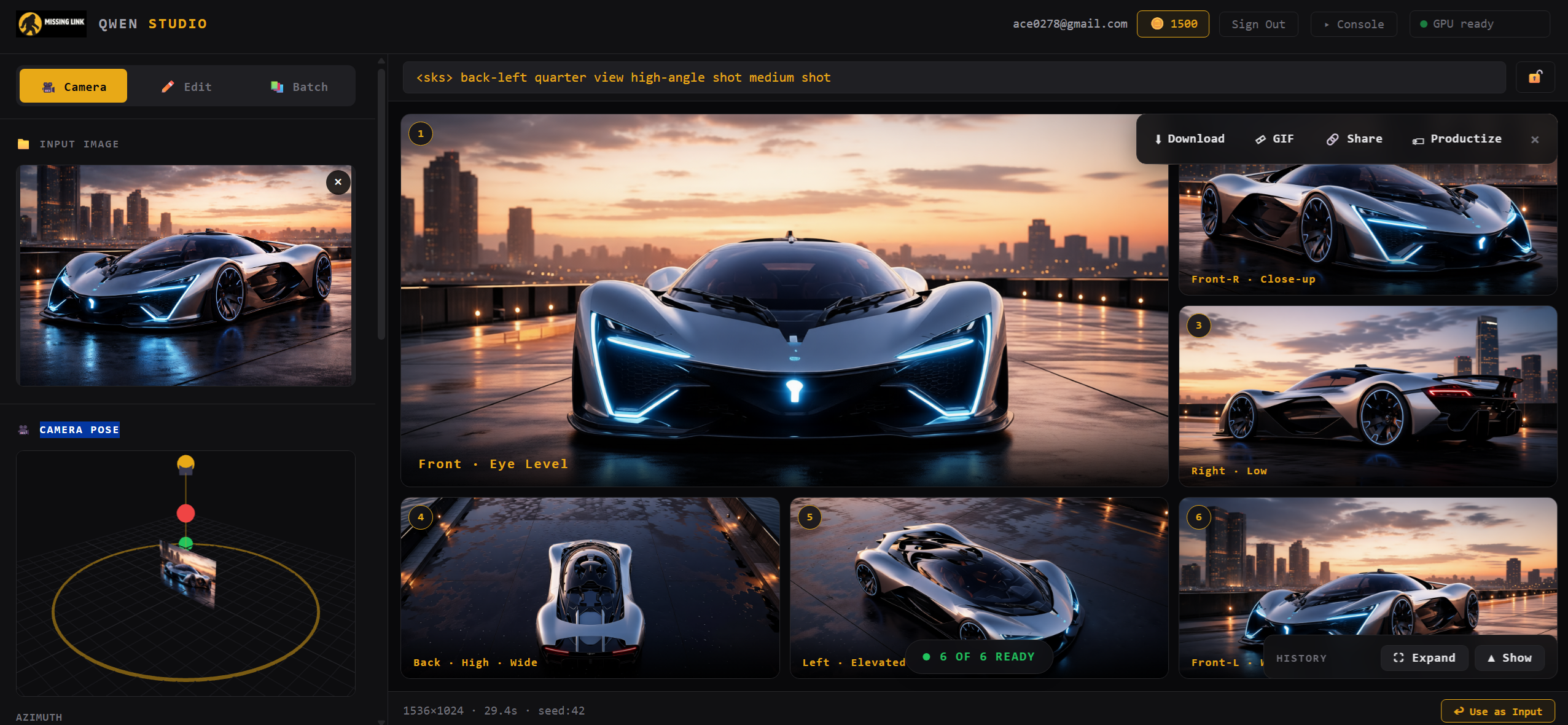
Image Studio camera mode — camera pose orbit widget with azimuth controls and a grid of 12 generated angles rendered from a single character photo

Reshoot any subject from any angle

Lock in a subject and sweep the camera around it. Front, back, side, low, high — up to 12 angles in a single click, with an orbit widget for precise control. Ideal for character reference sheets, turntables, and consistent multi-view outputs.

  • Interactive azimuth / elevation orbit widget
  • Preset angles: front, back, left, right, elevated, low
  • Queue up to 12 renders per input image
  • Subject identity preserved across every angle
Built for L4 —
Ada-tuned Triton kernels and optimized runtimes.
MissingLink is an AI infrastructure company. We write custom Triton kernels targeted at Ada Lovelace hardware, optimize the Python pipeline around them, and ship fast runtimes — then package it all into Image Studio. The same kernels are available standalone as a drop-in upgrade over the default Modal / PyTorch / diffusers stack.

Ada-tuned Triton kernels

Custom kernels for the hot paths in Qwen Image Edit 2511 inference, tiled and tuned specifically for L4 (SM 8.9). Bandwidth-bound workloads, handled properly.

🐍

Optimized Python pipeline

The surrounding Python pipeline rewritten around the kernels — fused graphs via torch.compile, static batch shapes, and hot-model residency across jobs.

📦

Batch-friendly pipeline

Static batch shapes, hot-model residency across jobs, and shared-context handling mean batch edits hold their speed all the way through the queue.

💸

L4 economics

A single L4 is ~$0.80/hr on most clouds. Our kernels make Qwen Image Edit 2511 fit and run there — which is why the hosted price can stay where it is.

🔧

Drop-in vs default Modal

The kernels are benchmarked against a stock Modal deployment (vanilla PyTorch + diffusers). Buy them standalone if you'd rather use your own serving infra.

🧰

Colab notebook stacks

Same optimization philosophy packaged as prebuilt wheels for TRELLIS.2, Wan2.2, Z-Image, and more — on Colab A100, L4, and T4.

The same optimized stack, in your own notebooks.
The Triton kernels and libraries powering Image Studio are also available as Colab-ready notebook bundles. Prebuilt wheels for TRELLIS.2, Wan2.2, Z-Image, and more — drop in on A100, L4, or T4 without compiling a thing.

More notebooks coming soon. Have a request? Let us know.

Most Qwen Edit deployments
demand an A100 or H100 to feel usable.
Default PyTorch + diffusers inference for Qwen Image Edit 2511 is heavy enough that hosted editors price every edit like it's scarce — and self-hosting means either writing your own kernels or running expensive GPU time. MissingLink's Ada-tuned Triton kernels make 2511 run on a single L4, which is where the budget-friendly pricing comes from.

Everywhere else

  • Hosted editors charge premium per-edit fees to cover A100/H100 time
  • Default Modal / PyTorch / diffusers stacks don't fit Qwen Edit 2511 on cheap GPUs
  • Self-hosting means writing your own GPU kernels to get real speed
  • Batch editing, camera control, and instruction edits live in different tools
  • Colab sessions burn GPU time compiling flash-attn, xformers, and nvdiffrast

With MissingLink

  • Qwen Image Edit 2511 running on a single L4 — the economics work
  • Ada-tuned Triton kernels, benchmarked against the default Modal stack
  • Savings passed through: ultra-cheap pricing on Image Studio
  • Edit, batch, and camera-control in one browser-based studio
  • Kernels also available standalone — drop them into your own serving stack

Colab Survival Pack — the MissingLink stack, packaged for Colab

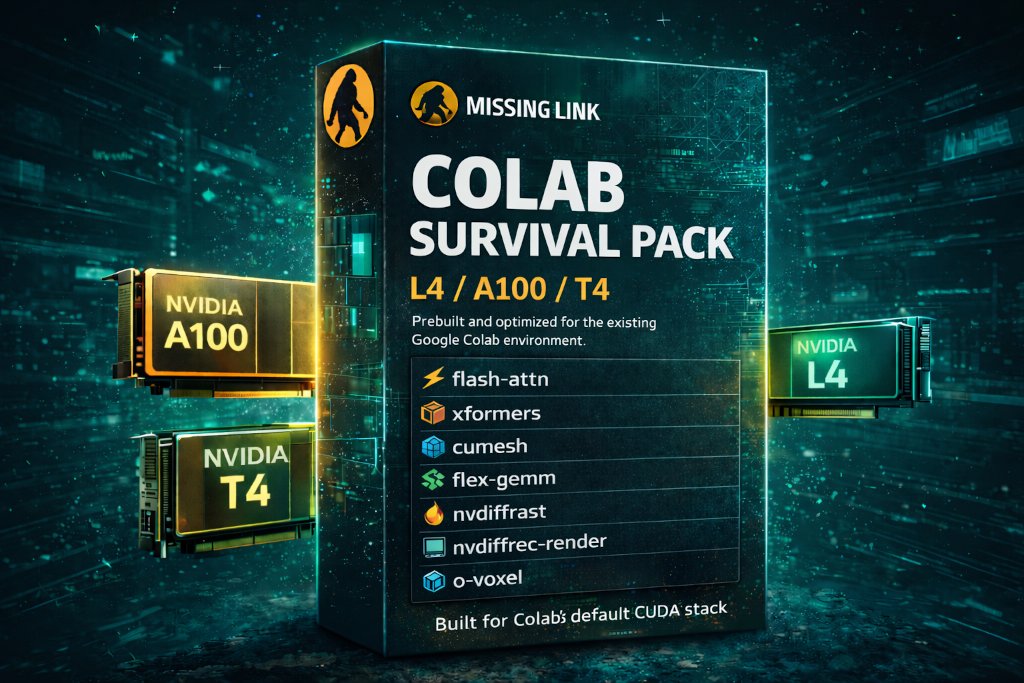
Prefer to work in notebooks? The same Triton kernels and optimized libraries that run Image Studio are available as prebuilt wheels for Google Colab. One purchase, every supported notebook — TRELLIS.2, Wan2.2, Z-Image, Qwen — on A100, L4, and T4.

  • Prebuilt wheels for all hard-to-install CUDA dependencies
  • Working Colab-ready stacks for 7 notebooks
  • GPU-targeted for A100, L4, and T4
  • Faster notebook startup every session
  • Token-based access — no login pages
  • $17 one-time or $9/mo subscription (includes Image Studio access)
Buy Survival Pack — $17 or subscribe $9/mo
Colab Survival Pack — prebuilt flash-attn, xformers, nvdiffrast, cumesh, flex-gemm wheels for Google Colab A100, L4, T4
For creators, developers, and teams
who edit images at scale.
🎨

Designers and creators editing product shots, concept art, and marketing images

🎮

Game artists generating character reference sheets and multi-angle views

📦

Teams running batch edits across hundreds of images with shared context

⚙️

Developers who need optimized Triton kernels and fast AI runtimes

🧪

Researchers running advanced image, video, and 3D notebooks in Colab

Edit images faster, for less.

Open Image Studio in your browser and run your first edit on MissingLink's optimized runtime — or grab the Colab Survival Pack to use the same stack in your own notebooks.